From Bright Pattern Documentation
Created page with "<translate>= How to Reassign an Event = # To reassign a single agent’s event to another agent, view the agent's calendar. See section supervisor-guide/ManagingCalendarEven..." |
No edit summary |
||
| Line 1: | Line 1: | ||
<translate>= How to Reassign an Event = | <translate>= How to Reassign an Event = | ||
To reassign a single agent’s event to another agent, view the agent's calendar. See section [[Tutorials-for-supervisors/HowtoViewanAgentsCalendar|How to View an Agent's Calendar]]. | |||
# Select the event in the agent's calendar that you want to reassign. The event properties on the right will display the event information.[[File:Agent-Calendar-Reassign-50.png|800px|thumbnail|center|Calendar and event properties]] | # Select the event in the agent's calendar that you want to reassign. The event properties on the right will display the event information.[[File:Agent-Calendar-Reassign-50.png|800px|thumbnail|center|Calendar and event properties]] | ||
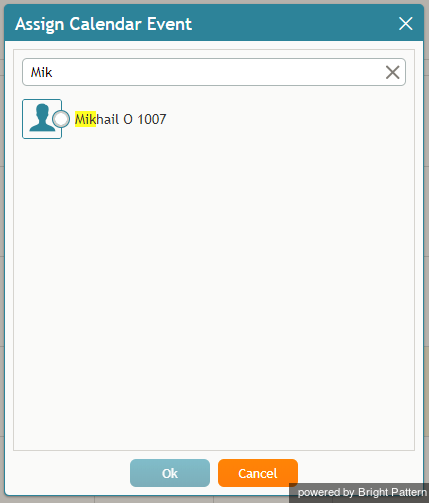
# Click the '''Assign…''' button. A dialog window will appear, showing the list of agents to which this task can be assigned. To find a specific agent quickly, you can start typing the agent's name in the '''Enter search term''' field and matching users will be listed in search results.[[File:Assign-Enter-Search-Term-50.png|450px|thumbnail|center|You can search for a specific agent]] | # Click the '''Assign…''' button. A dialog window will appear, showing the list of agents to which this task can be assigned. To find a specific agent quickly, you can start typing the agent's name in the '''Enter search term''' field and matching users will be listed in search results.[[File:Assign-Enter-Search-Term-50.png|450px|thumbnail|center|You can search for a specific agent]] | ||
Revision as of 21:10, 15 January 2019
<translate>= How to Reassign an Event = To reassign a single agent’s event to another agent, view the agent's calendar. See section How to View an Agent's Calendar.
- Select the event in the agent's calendar that you want to reassign. The event properties on the right will display the event information.
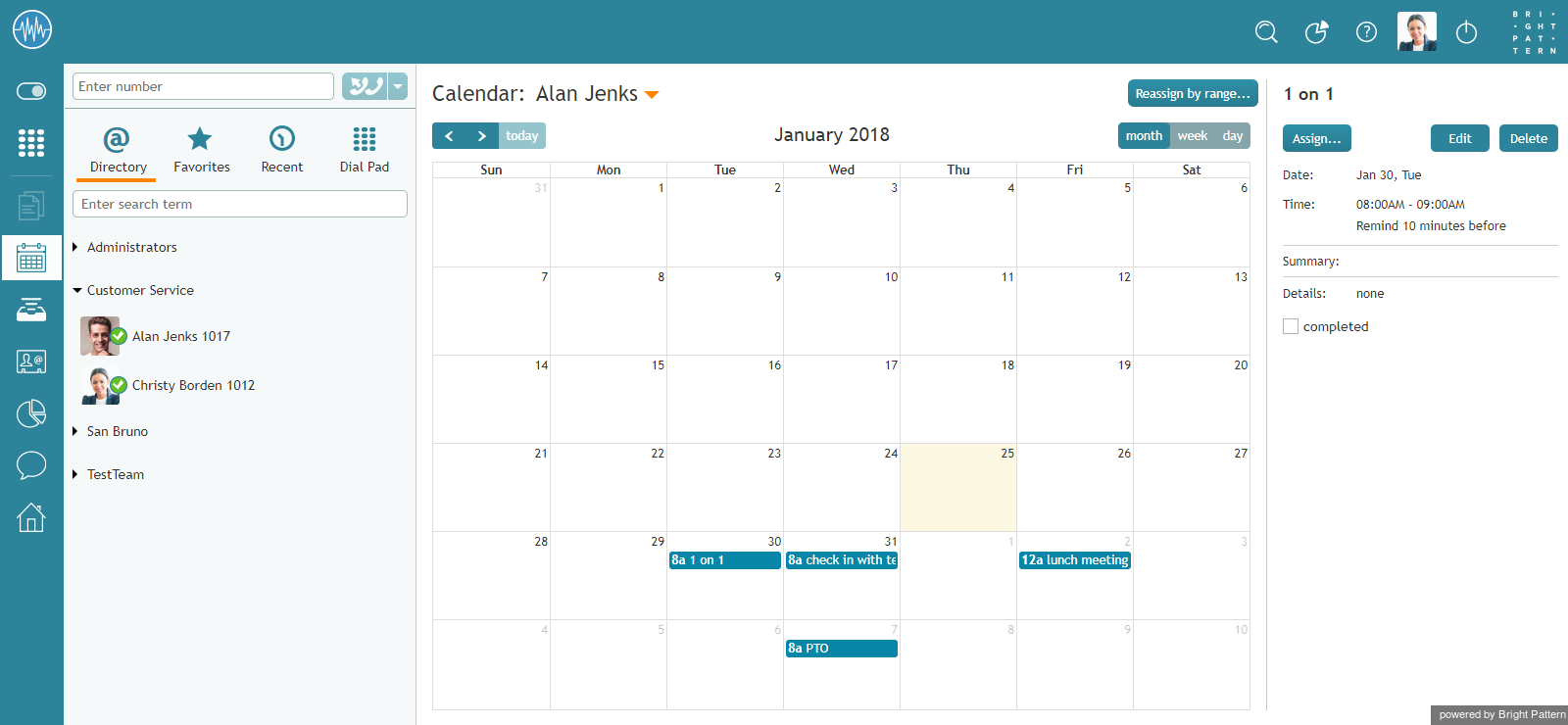
Calendar and event properties - Click the Assign… button. A dialog window will appear, showing the list of agents to which this task can be assigned. To find a specific agent quickly, you can start typing the agent's name in the Enter search term field and matching users will be listed in search results.
You can search for a specific agent - Select the desired agent and click Ok.
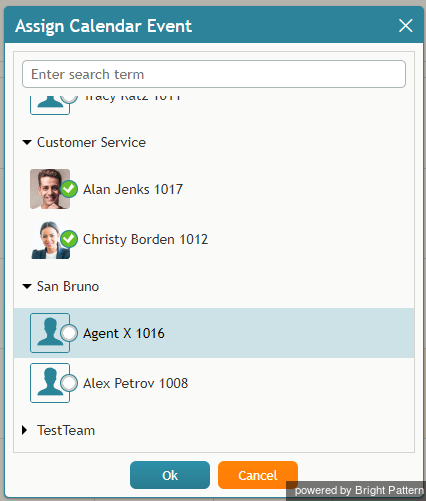
Reassign an event to a selected agent


</translate>