How to Start and Stop Campaigns
Campaigns can be started and stopped either automatically based on a predefined schedule, or manually. For information about automatic campaign start/stop, see the outbound campaign settings description in the Contact Center Administrator Guide.
To start a campaign manually:
- Select the Campaigns icon from the sidebar, then navigate to the Voice Campaigns or Messaging Campaigns tab.
- Locate the campaign in question in the Campaigns table at the top of the page.
- Enable the toggle switch in the Status column.
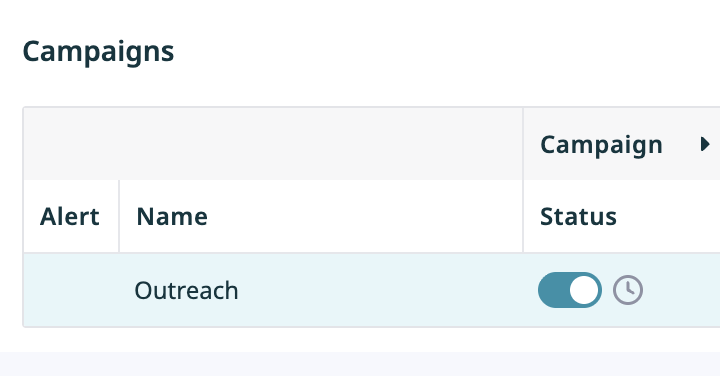

For messaging campaigns, the selected campaign will start immediately; likewise for voice campaigns, provided that there are agents available to handle calls of this campaign. Note that the actual call attempts to phones of specific types are made according to the schedules specified in the campaign calling hours.
To stop a running campaign manually:
- Select the Campaigns icon from the sidebar, then navigate to the Voice Campaigns or Messaging Campaigns tab.
- Locate the campaign in question in the Campaigns table at the top of the page.
- Disable the toggle switch in the Status column.
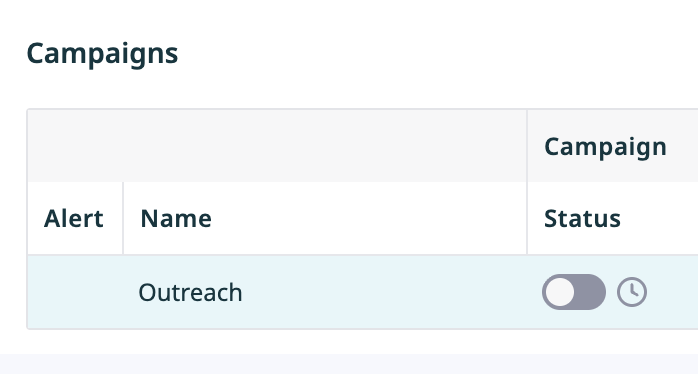

The system will stop making new call or messaging attempts for any records of this campaign immediately. All attempts that may have been in progress will be finished normally.
Note that the use of the manual campaign start/stop controls does not erase existing automatic start/stop configuration settings. For example, consider a campaign configured to start automatically at 2 p.m. and stop at 6 p.m. If this campaign was started manually at 1:30 p.m., it will still stop automatically at 6 p.m. unless it is stopped manually before.