From Bright Pattern Documentation
• 日本語
View Daily Disposition Metrics
The Dispositions Daily pie chart shows the percentage of call records with specific dispositions relative to the total number of dispositioned call records that day for an individual campaign. This feature is available for Voice Campaigns only.
To display the Dispositions Daily chart to the right of the Lists table, select the desired campaign from the Campaigns table. Then, enable the Show Records Disposition chart toggle switch above the individual campaign table.

Configure Chart Settings
Each campaign's Daily Dispositions chart can be configured to exclude certain dispositions, or group dispositions by category name (e.g. Final or Connection Problem).
- Click the gear icon in the Dispositions Daily title bar.
- Configure the chart as desired.
Note: Colors are assigned such that dispositions of the same name have the same color across services.- Remove any dispositions you wish to exclude from the pie chart by deselecting the checkbox under Display on the chart.
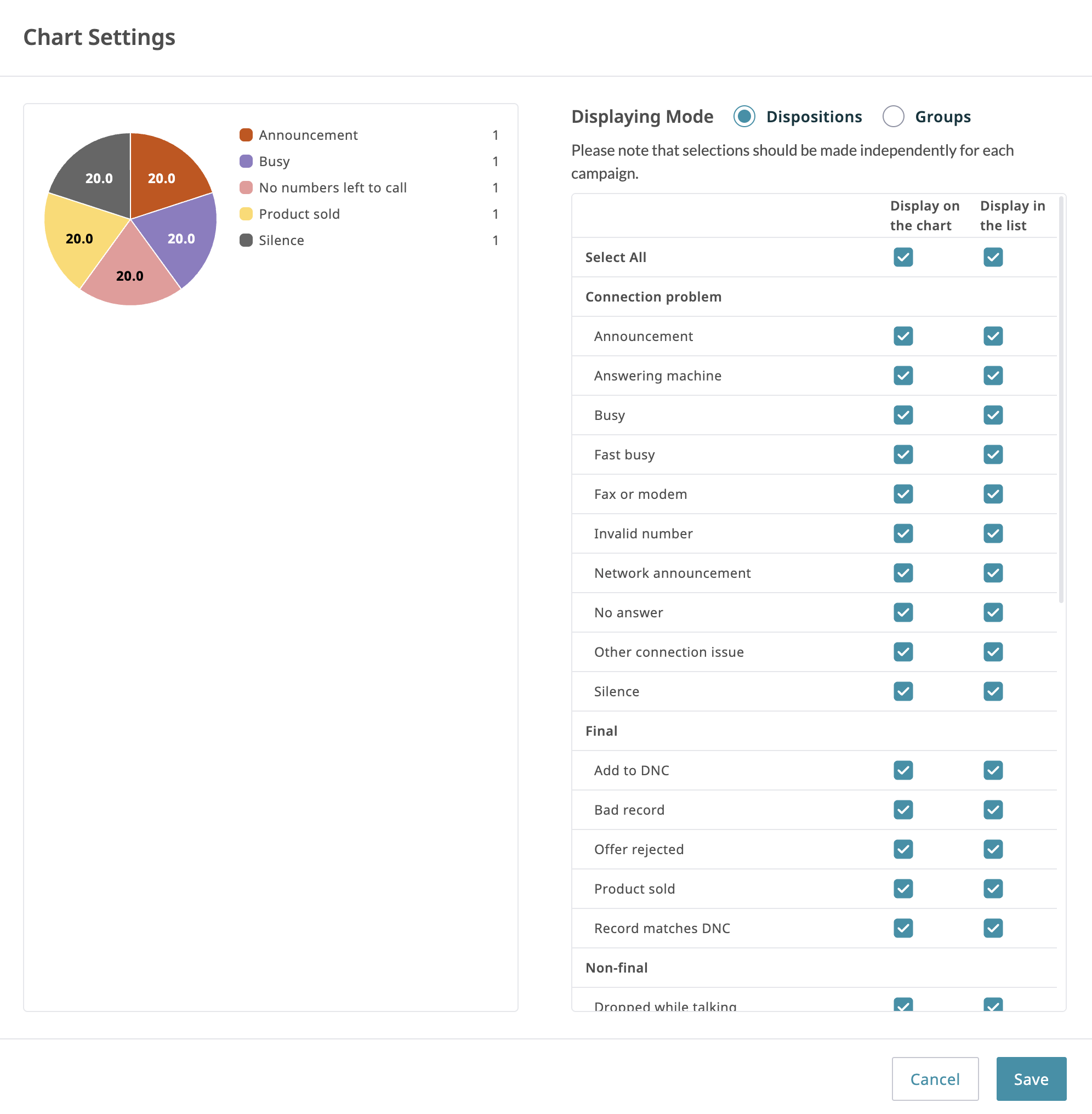
- Remove any dispositions you wish to exclude from the chart legend by deselecting the checkbox under Display in the list.
- Change the Displaying Mode from Dispositions (see above) to Groups (see below), or vice versa. Groups are the disposition groups configured for the campaign in the Dispositions tab.
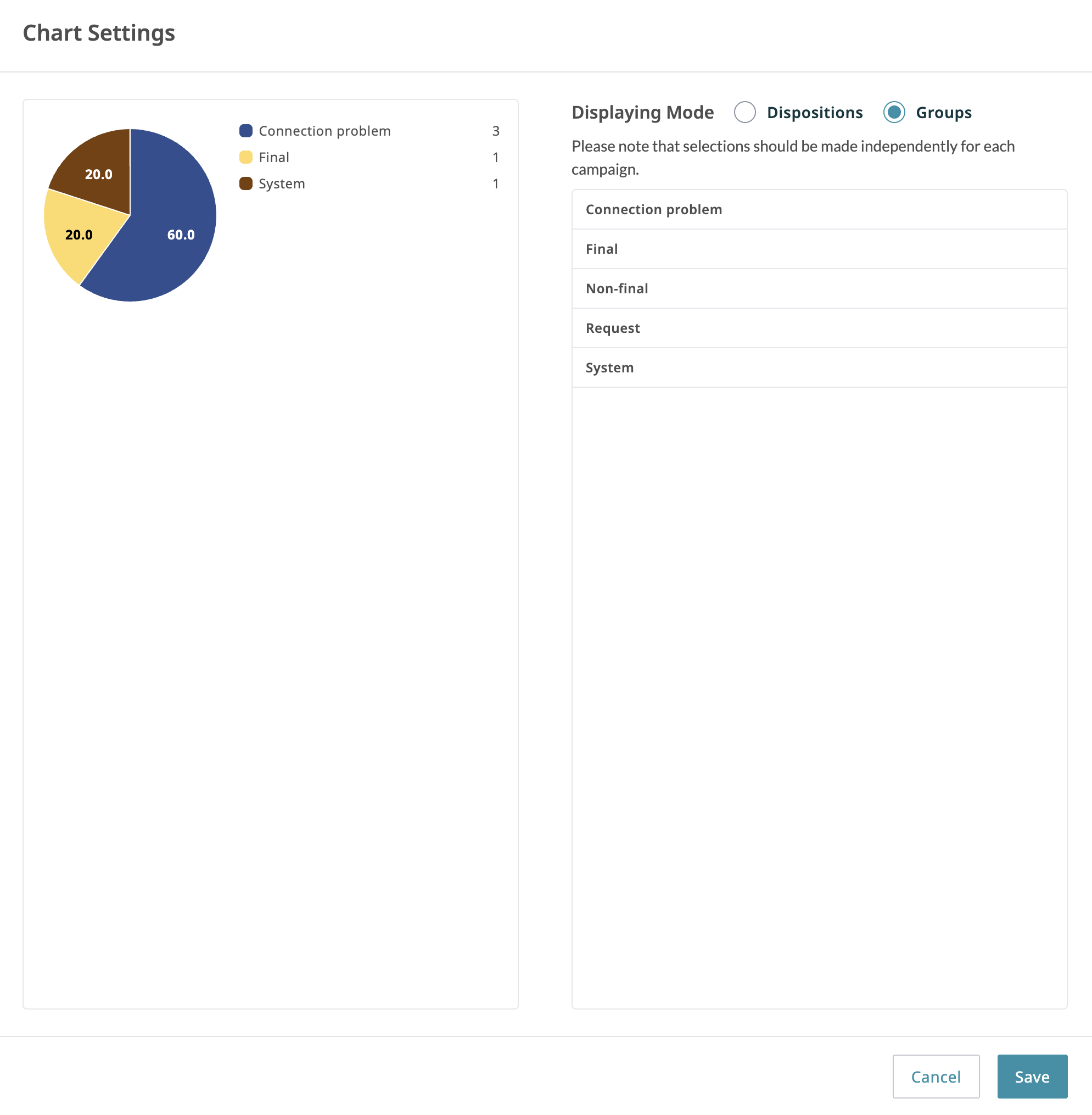
- Remove any dispositions you wish to exclude from the pie chart by deselecting the checkbox under Display on the chart.
- Press Save in the bottom right corner of the pop-up window.
< Previous | Next >

