From Bright Pattern Documentation
<translate>
How to Transfer a Remote Assistance Session to a Different Agent During a Chat Session
During an active chat and active remote assistance session, you can invite another agent to join the customer’s chat. This capability allows more than one agent to provide uninterrupted remote support to a customer during the interaction.
- After the remote assistance session has been established, click the Invite
 button in the chat window to either transfer the chat and conference with another agent or transfer the chat using the directory.
 - Select the name of the agent who you wish to invite to the chat.
- Wait for the agent to accept the invitation.
- Once the other agent accepts the chat, that agent will have the Remote Assist Session dialog screen popped on their desktop with the ability to see and control the customer’s screen, and you, the first agent, will no longer be on the chat.
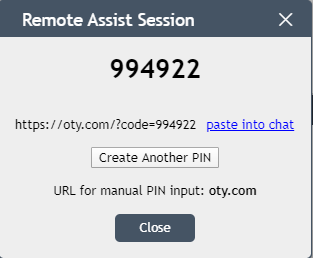
Example of Remote Assist Session dialog on screen


</translate>