提供: Bright Pattern Documentation
• English
Google Cloud 音声合成 APIの音声読み上げ方法
Google 音声合成統合アカウントはGoogle Cloud API 認証情報を使い、Bright PatternコンタクトセンターをGoogleのTTS エンジンに接続します。 統合を設定すると、サポートされている多数の言語で音声プロンプトを作成して、ボットの応答を自動化できます。
このような統合アカウントを設定するには、アクセス用の認証情報を提供するだけでなく、Google側で特定の言語の音声を承認する必要もあります。
この記事では、上記を行う方法と、Google 音声合成統合アカウントで音声読み上げ方法について説明します。
Procedure
Step 1: Go to Integration Account Properties in Contact Center Administrator
- In Contact Center Administrator > Call Center Configuration > Integration Accounts, add a new Text to Speech integration account. For property descriptions, see the Contact Center Administrator Guide, section Text To Speech Integration (TTS).
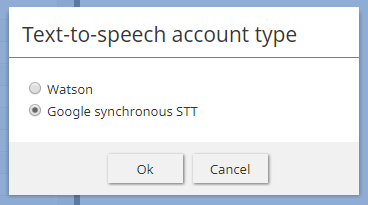
Select the type of TTS integration account - See the Load Voices property.
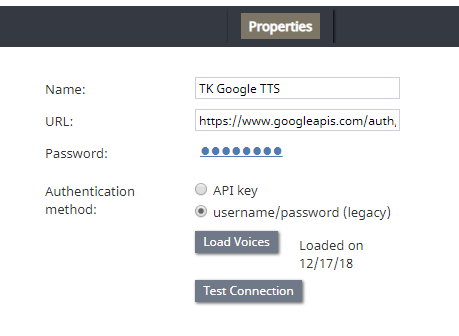
Google TTS integration account properties - To get the list of voices to appear, you need to go into Google Explorer and authorize a list in a specific language to be used.


Step 2: Authorize in Google
- Go to https://developers.google.com/apis-explorer/?hl=en_US#search/voices/m/texttospeech/v1/texttospeech.voices.list
- In languageCode, enter the language code (e.g., "en-US")
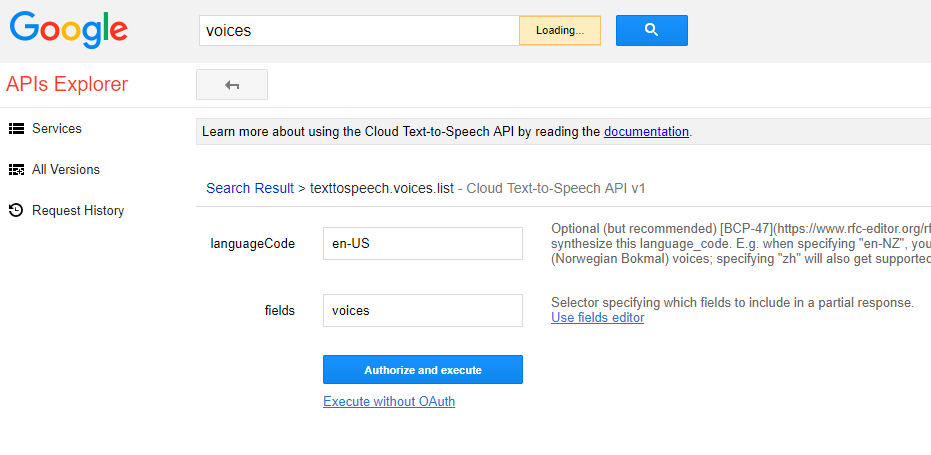
Enter language code - In fields, enter "voices"
- Click Authorize and execute
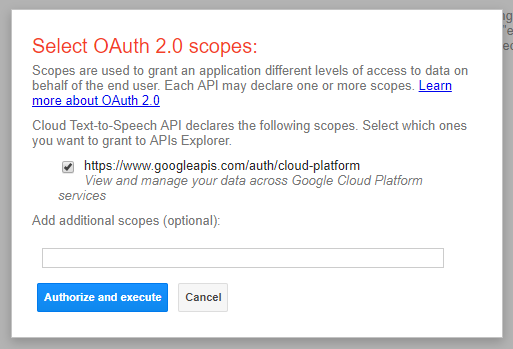
Authorize it - In the Select OAuth 2.0 Scopes dialog, select the checkbox for the scope to use
- Click Authorize and execute (again)
- In the next dialog, allow access to your Google account
- This initiates the request (GET list in languageCode) and returns the response code and list (JSON)
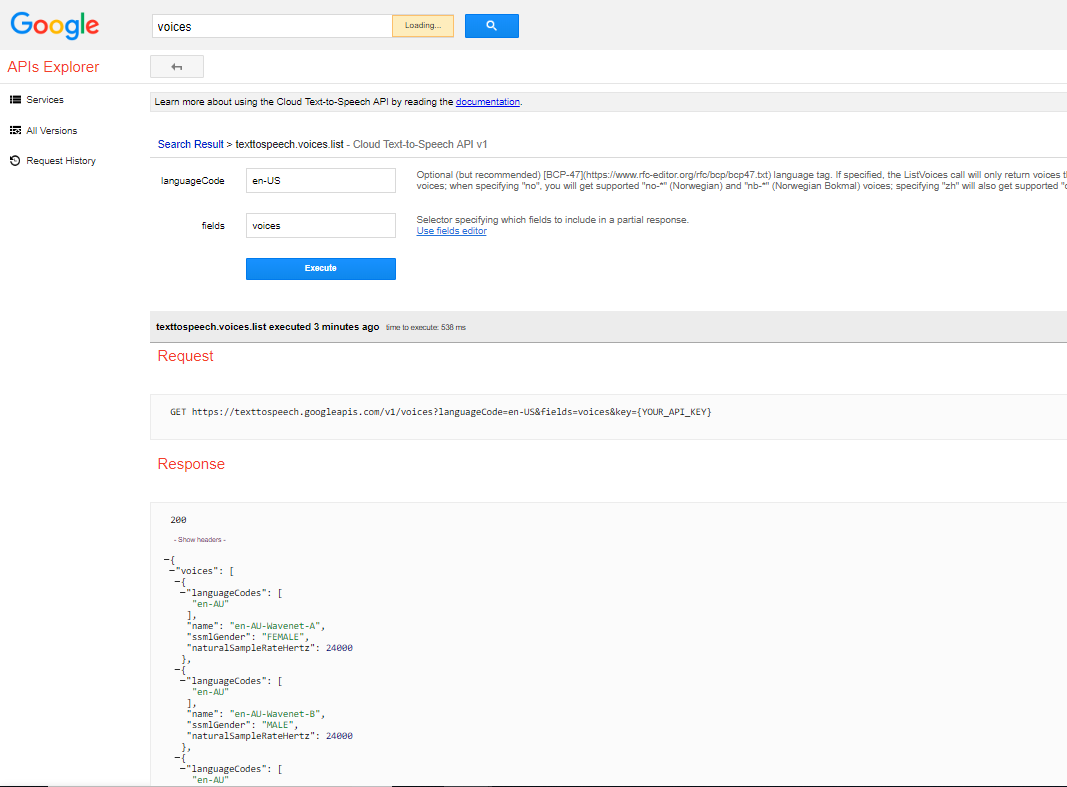
JSON response


